
One account, four apps
Inspect laptops on Windows and Mac, and phones on Android and iPhone. Every report lands in the same RahaTest account.
RahaTest for Windows
Run it from a USB stick or after a quick install. It checks battery wear, storage health, the processor, memory, graphics card, display and keyboard, then saves the report.
- Full report with a grade and QR code
- Saved in your RahaTest account
- Free to download
RahaTest for Mac
Made for Apple silicon. It checks battery cycles, the SSD, chip, memory and display, and warns about Activation Lock and MDM before you buy.
- Full report with a grade and QR code
- Saved in your RahaTest account
- Free to download
RahaTest for Android
Install it on the phone you are inspecting. It checks the touch screen, cameras, speakers, microphone, battery, fingerprint and GPS.
- Full report with a grade and QR code
- Saved in your RahaTest account
- Free to download
RahaTest for iPhone
Checks the touch screen, both cameras, speakers, microphone, battery and Face ID on any iPhone, with the same report and grade.
- Full report with a grade and QR code
- Saved in your RahaTest account
- Free to download
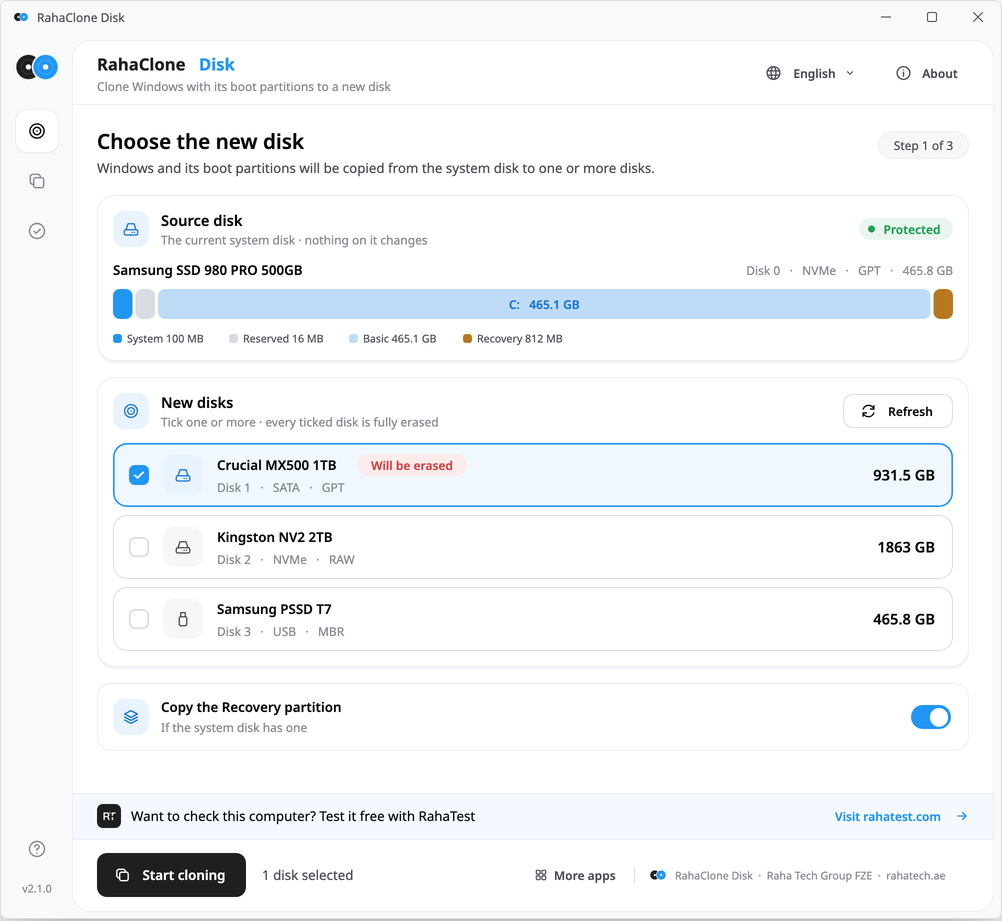
RahaClone Disk: move Windows to a new disk
Clone the whole system disk, boot partitions included, to one or more new disks while Windows keeps running. Fit the new disk and it is ready to boot.
- Copies Windows with its EFI, boot and Recovery partitions
- Clones to several disks at once
- The source disk never changes, and every target disk must be confirmed
Pick your app and start inspecting
Reports your buyers trust, and time saved on every laptop.
Get started